kintone plugin series

Precautions When Changing Lookup Values via Plugins or Custom JavaScript
Even though you selected a record using a plugin or custom JavaScript, the record selection screen appears again.
When trying to add or update a record, you receive an error stating that "Prohibit duplicate values" is not enabled, and you are unsure which field to change.
This page explains the mechanism behind these issues and how to resolve them.
Lookup Sets a "Value," Not a "Record"
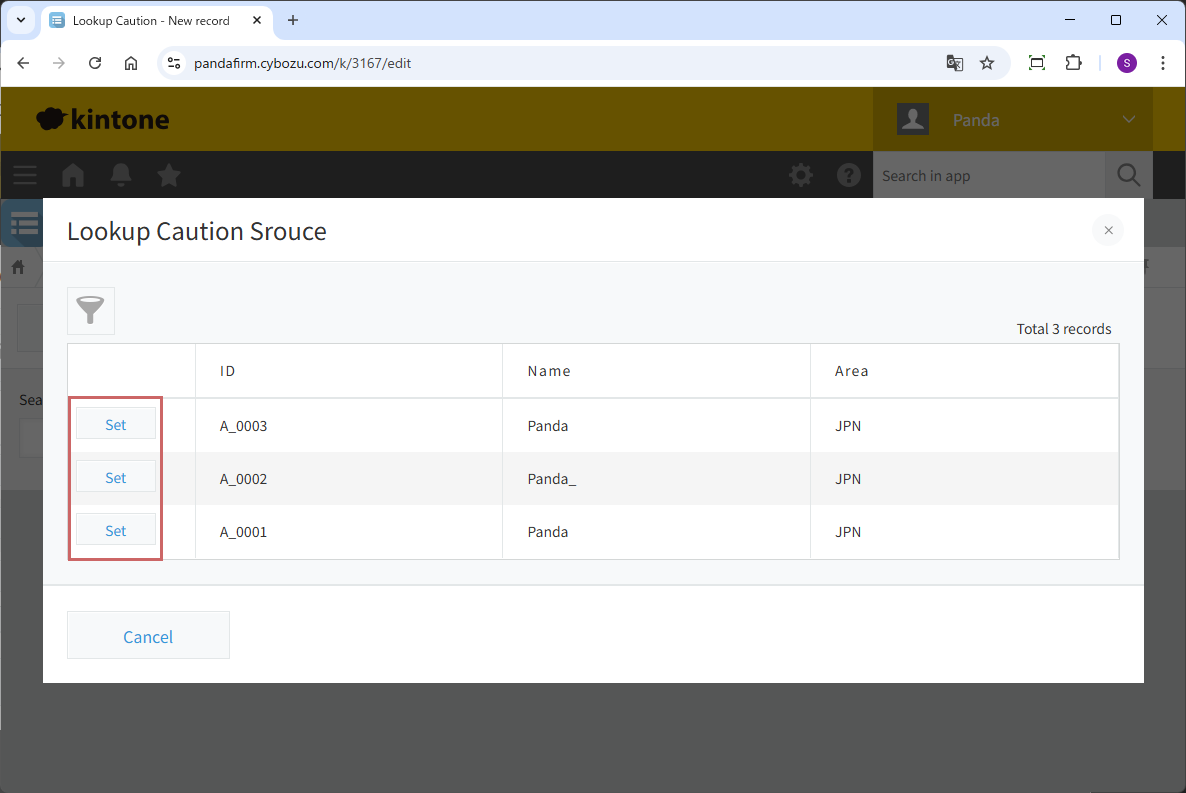
When using a lookup field on the standard kintone screen, we visually select the "record to copy." This tells kintone, "Please identify this specific record and copy the necessary values."
However, when using plugins, custom JavaScript, or the API, the instruction to kintone is different. The instruction from a program is not "Copy from this record," but rather, "I am inputting this 'value' into the lookup field, so please find the matching record and copy its contents."
In other words, you must understand that lookup operations in customization are not "record selection," but "inputting a search key (value)."
Why "Prohibit duplicate values" Is Necessary
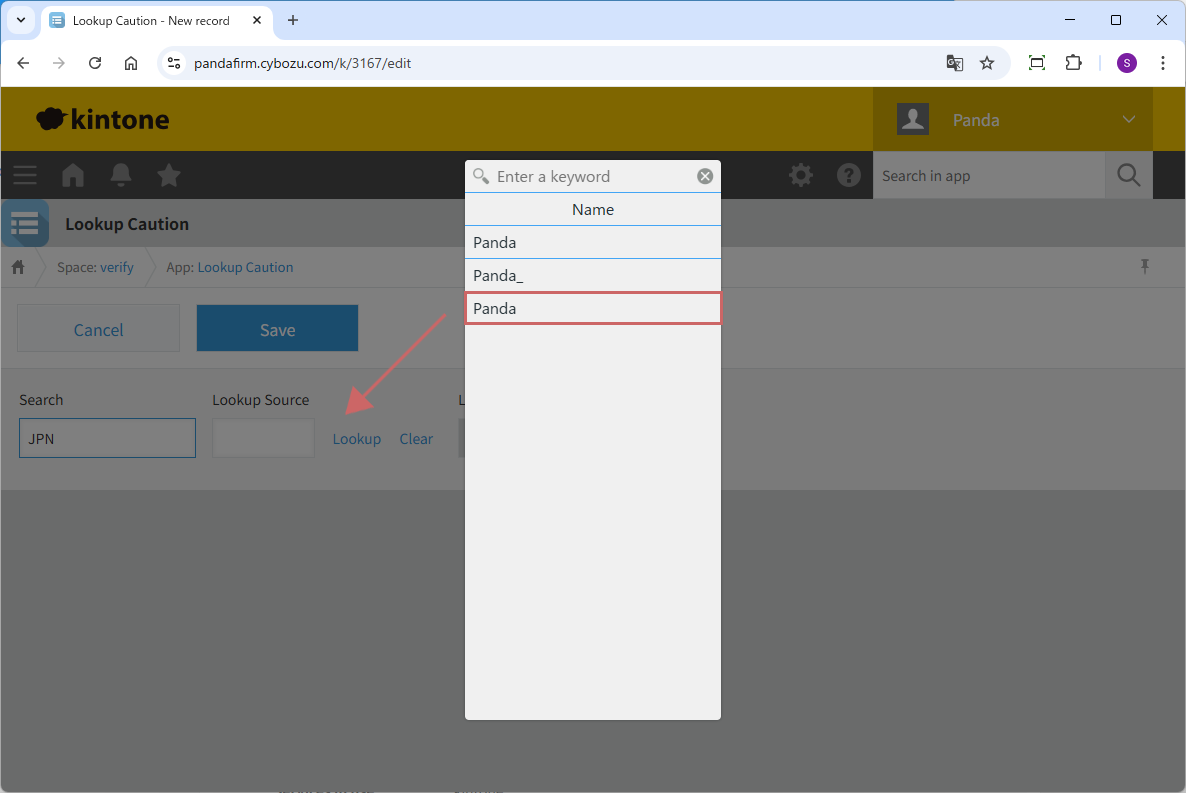
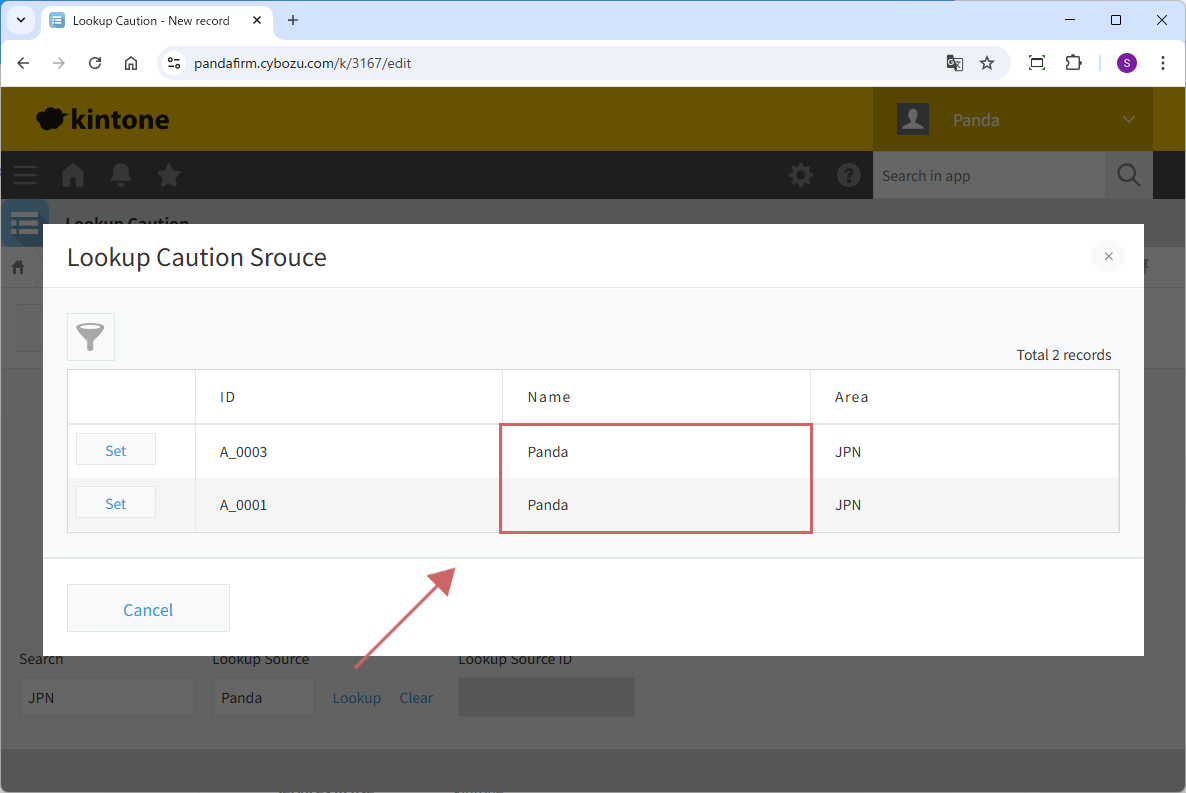
If multiple records in the datasource app match the input value, kintone cannot determine which record to copy. This results in the following behaviors:
-
Manual Operation:
Since there are multiple candidates, kintone cannot automatically confirm the value and displays the standard selection screen again to prompt a choice.
-
API Updates/Additions:
An error occurs (e.g., stating that duplicate values are not prohibited in the Key field), and the process is rejected.
This happens because kintone stops the process, judging that it cannot safely copy the data because it cannot narrow down the target to a single record.
Making the "Key field" Unique
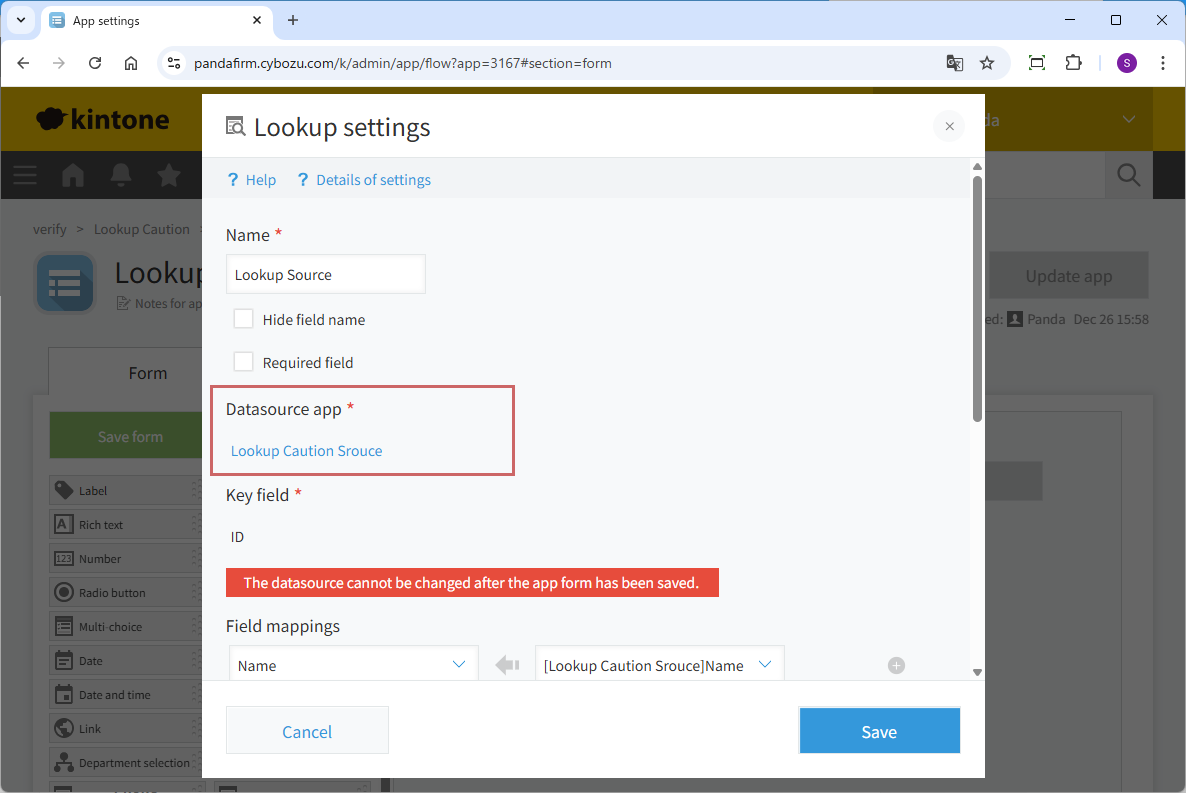
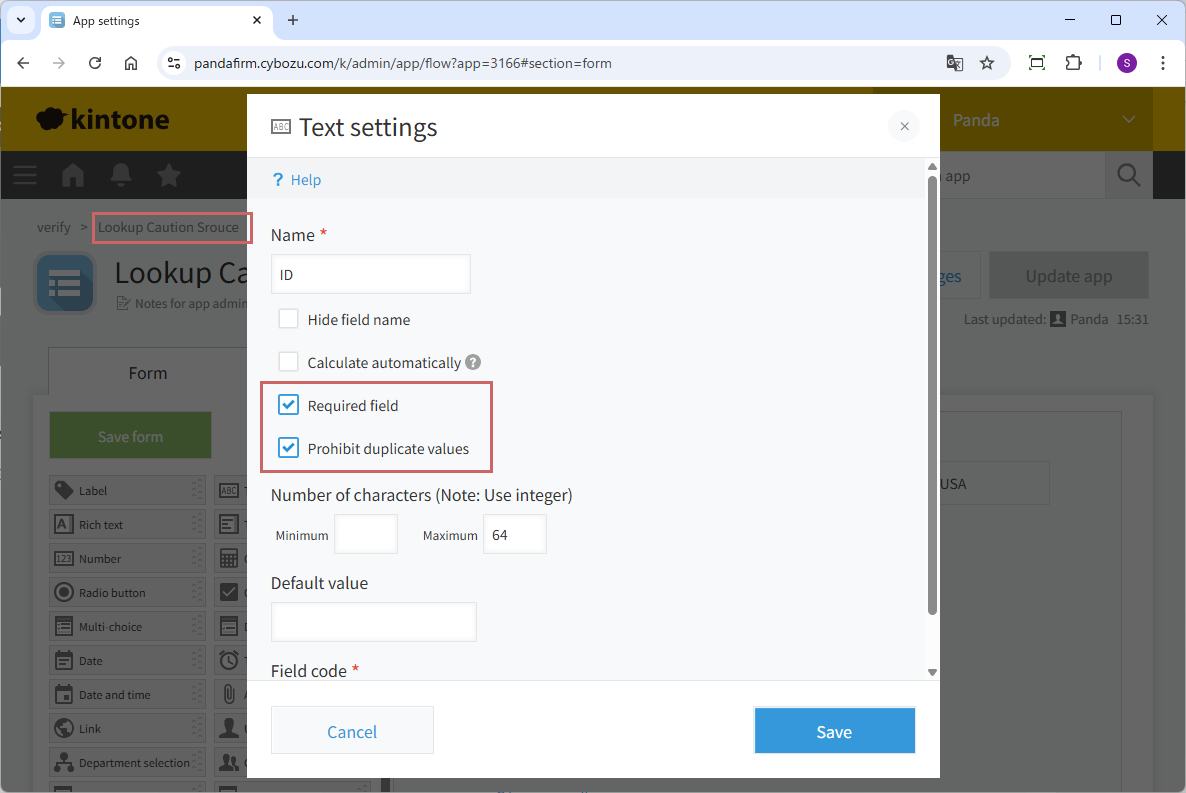
To resolve this, you must establish a system where the "Key field" always identifies a unique record so that kintone does not get confused.
-
Method A:
In the settings of the datasource app, check the "Prohibit duplicate values" box for the "Key field."
-
Method B:
Specify the "Record number" (which is always unique by default) as the "Key field."
By ensuring a 1-to-1 relationship between "this value" and "this record," lookup operations will execute smoothly even during customization.
Fee
While all plugins in the Boost! series can be downloaded and used for free, after a 3-month trial period, a message prompting you to purchase a license will be displayed once a day for each installed app. To use it without displaying this message, you will need to pay an annual fee of 10,000 JPY.
Boost! is based on a domain license, so there is no upper limit to the number of users.
The license and fee apply to the entire Boost! series, not on a per-product basis.
Please note that for Boost! Injector and Boost! Echo, if you have not purchased a license after the 3-month trial period, you will no longer be able to use them.
For your interest
This site introduces a series of plugins that extend the functionality of kintone. If you have tried using kintone but feel it does not fit well with your company's operations, we also offer a free open-source web application builder. This tool allows you to easily create a system tailored to your business processes, even without any knowledge of system development. If you are interested, please visit the following URL.
https://pandafirm.jp/en/kumaneko.html